What you want to know about a video call.
sure.
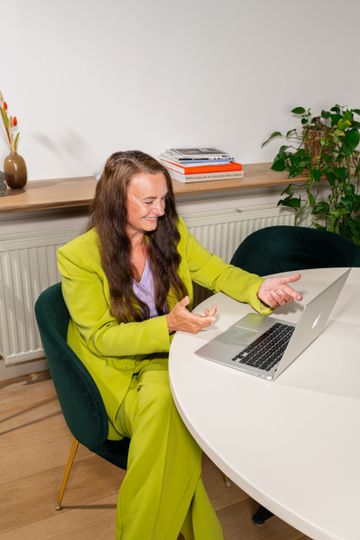
Explanation and instruction
You have received an invitation to a video call with ZekerArbo. On this page you can read more about video calls and find practical instructions (click here for an English tutorial).
You need:
- An environment where you can make uninterrupted calls
- A functioning Internet connection
- A computer, laptop, tablet or cell phone with camera, microphone and speakers or headphones
- An up-to-date browser
Tips for a pleasant conversation
- If possible, find a quiet environment with good lighting and as little background noise as possible.
- Place your mobile device in a stand or lean it against something. This leaves your hands free and keeps the camera from moving.
- Connect with good wifi (or a cable). That way the quality of the video call is best and you avoid high mobile data usage. Close to your wifi point/meter box, the range is often the best.
- Finally, don't worry. We understand that you can't create the ideal situation in every case.
Practical information & instruction
ZekerArbo uses Microsoft Teams for video calls.
How do you prepare?
We recommend installing Microsoft Teams on your laptop, desktop computer, tablet or smartphone:
- To download from this link
- Or search the App Store or Play Store for "Microsoft Teams"
On most laptops and desktop computers, you can also participate via your Internet browser such as Chrome, Firefox, Edge. You do not need to create an account for Teams.
How does it work?
A few days before your video call you will receive a link by email or SMS. Press the link, you will be taken to our Digital Waiting Room. Once our professional starts the call, the "To your call" button becomes active, a sound will also play to alert you to it. You will then be redirected to the conversation in Teams.
Is Teams not working well?
For help with practical problems with Teams, consult one of the following pages:
Privacy
Privacy is important to us. We have taken various measures to protect your privacy as much as possible during the video call (see below). In doing so, we follow the advice of the Branchevereniging voor de Zorg (Actiz) and the KNMG. With privacy in mind, ZekerArbo has tightened the settings of all its Teams meetings:
- The ability to record video calls is disabled. Copying data to the clipboard is not possible.
- Image and audio are encrypted using HTTPS encryption (SSL).
- Teams-meetings uses servers in the Netherlands.
- All information remains within Microsoft's ZekerArbo.
Want to know more about how ZekerArbo handles personal data? Then read the privacy statement.