Skip to content

My ZekerArbo: Everything you need
conveniently in one place. Sure.

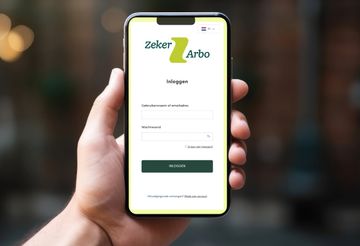
At ZekerArbo , we work with you and your employer on your employability. An important tool for this is My ZekerArbo - Your personal digital environment. Here you will find everything you need to keep a grip on your Sickness Absence, employability and reintegration.

Want some help logging in or forgot your password? Check out our frequently asked questions for employees.

Employees log in to My ZekerArbo

MyPlanningsagenda

What does My ZekerArbo offer?

  • Always overview: Insight into your appointments (including by phone) with our company doctor or other professionals.
  • Convenient information in one place: Everything around your appointment - invitation letter, location and the professional's name - conveniently collected.
  • Reminders: Receive a notification 2 to 10 days before your appointment so you don't forget anything.
  • Insight into advice: Easily read feedback from our company doctor or other professionals.
  • Your online file: Advice from our professionals is automatically collected in your personal file.
  • Sickness Absence Summary: View your (partial) Sickness Absence for the past 12 months.
  • Well secured: Your data is optimally protected thanks to mandatory two-step verification.
  • Access whenever and wherever you want: available 24/7, including via tablet or smartphone.

With My ZekerArbo, you have all the tools you need to actively and confidently work on your recovery and employability!
Learn more

Have questions about login new employee portal? Please visit planningsagenda

What is My ZekerArbo?

My ZekerArbo is the personal digital environment in which you, as an employee, can find all the details surrounding your Sickness Absence .

How do I get access to My ZekerArbo?

If you are invited for a (consultation) appointment at ZekerArbo , you will receive an invitation letter. This letter contains a unique personal link code. With this code, you can create a personal account and log in to My ZekerArbo

I forgot my password. What can I do?

At the My ZekerArbo login screen, click the "I can't log in?" link. The following screen will be displayed.

Enter the email address you received your activation email to which the invitation was previously sent and click on REQUEST DATA.

You will automatically receive an email with instructions on how to reset your account.

How can I log in?

You can log in if you have created an account. You have to do this once. How to do that, you can read on this page.

After that, your account is known and you can use My ZekerArbo. Log in through My ZekerArbo using your own username, password, and two-step verification method.

What is two-step verification?

With two-step verification, you log in with something you know (your username and password) and with something you have (your phone, a code sent to your phone or to your e-mail address). This way, your data is even better protected.

An example: You log into any portal with your username and password. Then you get a code on your phone. You have to enter this code in the portal. After that, you are actually logged in and have access to your data.

Why two-step verification at login?

Through My ZekerArbo , employees can access their file information. This is privacy-sensitive information and contains personal data (such as address information, appointments, BSN, absence history and non-medical reports from the Occupational Health Service). So it is important to protect this data properly. Two-step verification is a commonly used method that provides an additional level of protection.

How secure is My ZekerArbo?

Your privacy is fully guaranteed in My ZekerArbo . You can only create an account with your own unique linking code that you receive by mail. Once you have an account, you can only log in after two-step verification. In addition, no medical information is recorded in My ZekerArbo .

ZekerArbo pays a lot of attention to "secure programming. Our customer and employee portals are completely technically screened several times a year by an external party for possible programming errors that could pose a risk. These errors are technically fixed prior to each release. ZekerArbo is unique in this approach to secure programming.

How can I change my profile information?

If you are logged in, you can change your data via the settings icon (cog) in the upper right corner of the menu -> 'settings'.

Can my medical records also be accessed?

There are no medical records in My ZekerArbo.

What if I don't want to use My ZekerArbo?

We urge you to use My ZekerArbo to communicate securely and quickly. About an invitation to a consultation or an advice following an interview with the (practice support worker) company doctor.

We emphasize that digital communication is generally safer and faster than letter mail.

If you do not use My ZekerArbo , after contacting our customer team by phone, you choose to communicate by postal mail and accept responsibility for any risks, such as loss, delays, theft during mailing, as well as maintaining a current and correct mailing address with ZekerArbo. For more information on how ZekerArbo uses (secure digital) communications to protect personal data, please visit our Privacy Statement.